One photo, every angle: 360° character turnarounds with Qwen Edit 2511.
Short on photos of your character from different angles? Qwen Image Edit 2511 plus a multi-angle camera node turns one portrait into a full turnaround — the lazy way to build a LoRA dataset.
The hardest part of training a character LoRA is often the dataset: you need the same person from lots of angles, and you usually only have a handful of good images. This workflow generates those angles for you from a single photo.
It's adapted from a multi-angle workflow shared on CivitAI. The original was in Chinese and had a few errors, so this version is cleaned up, translated to English and includes a user guide right in the graph. Credit for the concept goes to its original creator.
01Install the models and the custom node
| ITEM | TYPE |
|---|---|
| Qwen Image Edit 2511 | Diffusion model |
| Qwen Edit Lightning LoRA | Speed LoRA (few-step generation) |
| Qwen multi-angle LoRA | Required for the multi-angle shots |
| Qwen multi-angle camera | Custom node: search "Qwen multi-angle camera", it's the first GitHub result. Clone it into ComfyUI/custom_nodes. |
Restart ComfyUI after installing the custom node so it shows up in the graph.
02Load one portrait and run
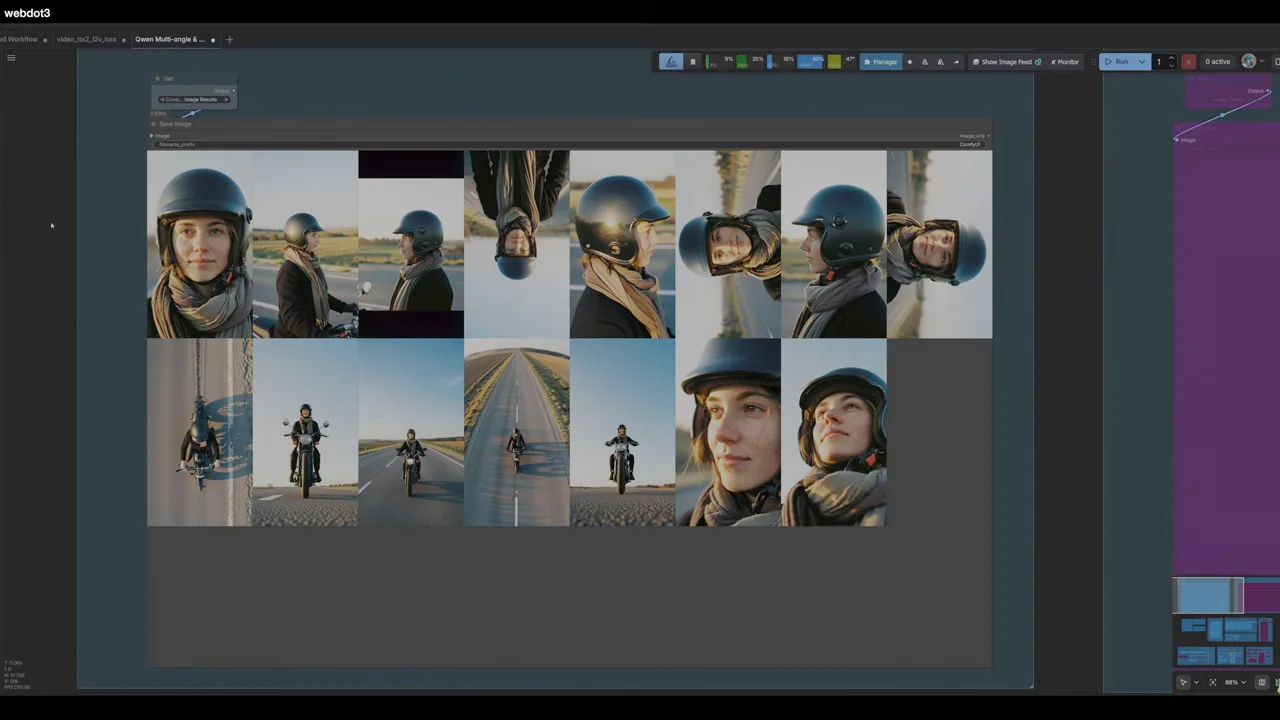
Drop in a single image of your character. The default prompts from the original workflow cover a spread of angles — front, sides, high and low views, close-ups and wide shots — so you can run it as-is the first time.
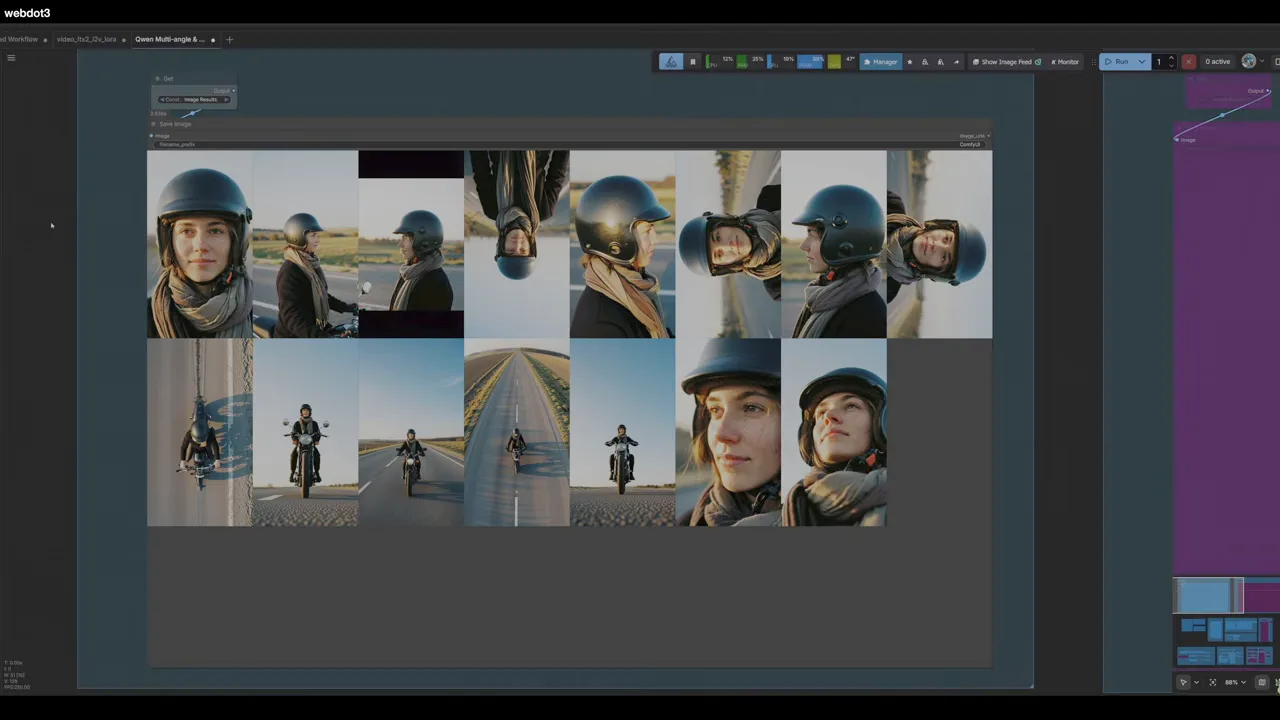
A full multi-angle batch took roughly 3–4 minutes on an RTX 5090. Here's the result from one Z-Image portrait of a woman in a motorbike helmet, first try, nothing cherry-picked:
03Re-shoot a single angle
Not every angle will land. Maybe you wanted a bird's-eye view and got something odd. The workflow includes a single-generation node you can enable instead of the full batch. It lets you set the camera angle and distance directly, so you can redo just the shot you need — a clean side profile, a top-down view, a specific framing.
04Build the dataset
For a serious LoRA, run the workflow several times and keep the best frames until you have around 20–30 images that make sense together. Then caption them. Writing captions by hand takes hours; the LoRA dataset helper does it automatically — paste in the whole set and it writes a trainer-ready caption for each image.
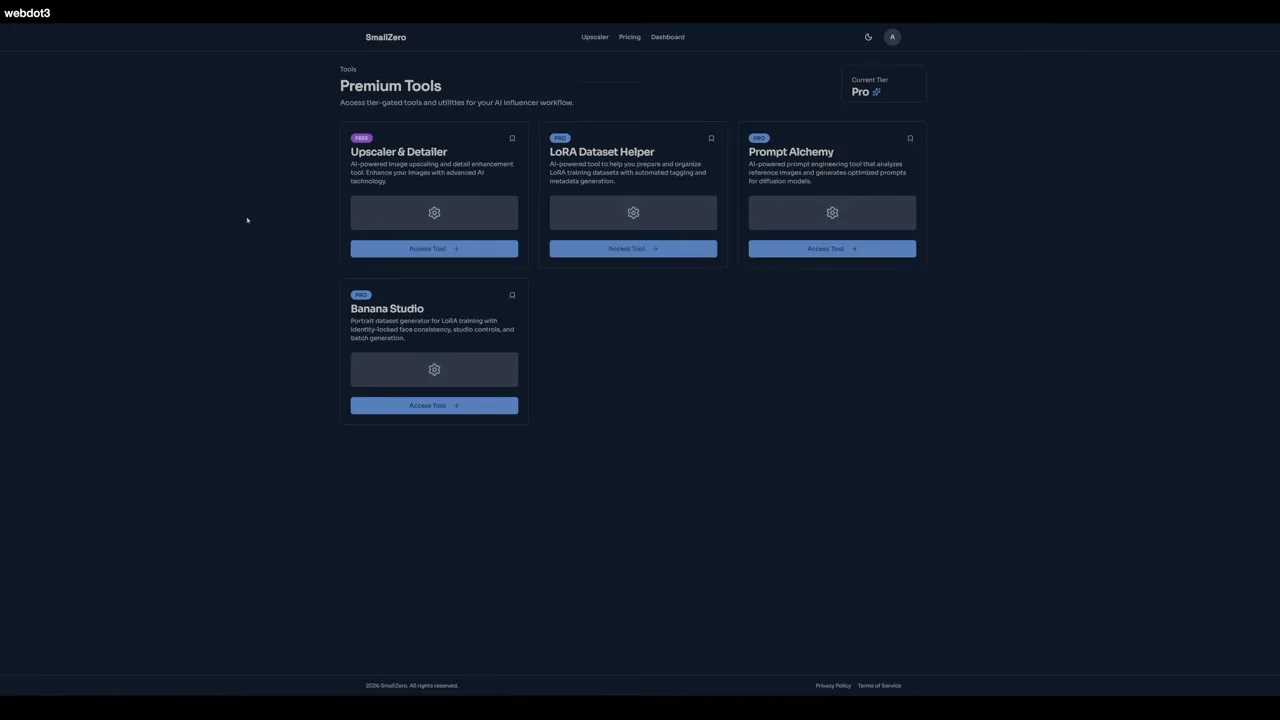
The dataset helper lives in the smallzero.io member tools, along with this cleaned-up English version of the workflow. Once captioned, train as usual — see the Z-Image LoRA workflow for training settings.
Verdict
Qwen isn't always the strongest model, but for this job it's genuinely impressive. One portrait, a few minutes, and you have the raw material for a character LoRA that would otherwise take a full photo shoot.
$ ls ../related
$want the datasets, workflows and LoRAs behind posts like this?
they're shared inside the skool community. come join us.