Connect Claude or Codex to ComfyUI with the Comfy Cloud MCP.
The Comfy Cloud MCP lets an AI agent drive ComfyUI directly — queue jobs, pick models, run workflows — from a chat. Here's how to connect it, and a one-prompt AI influencer pipeline to show what it can do.
MCP (Model Context Protocol) is how AI agents plug into outside tools. The Comfy Cloud MCP server connects an agent like Claude Code or Codex to your Comfy Cloud account, so anything you can describe in chat, the agent can now build and run in ComfyUI: generate images, video, audio and 3D, search models and nodes, and run workflows.
It also ships with reference docs (markdown files) so the agent knows what ComfyUI has available. That means you can build dashboards, batch jobs and full content pipelines on top of ComfyUI just by talking to an agent.
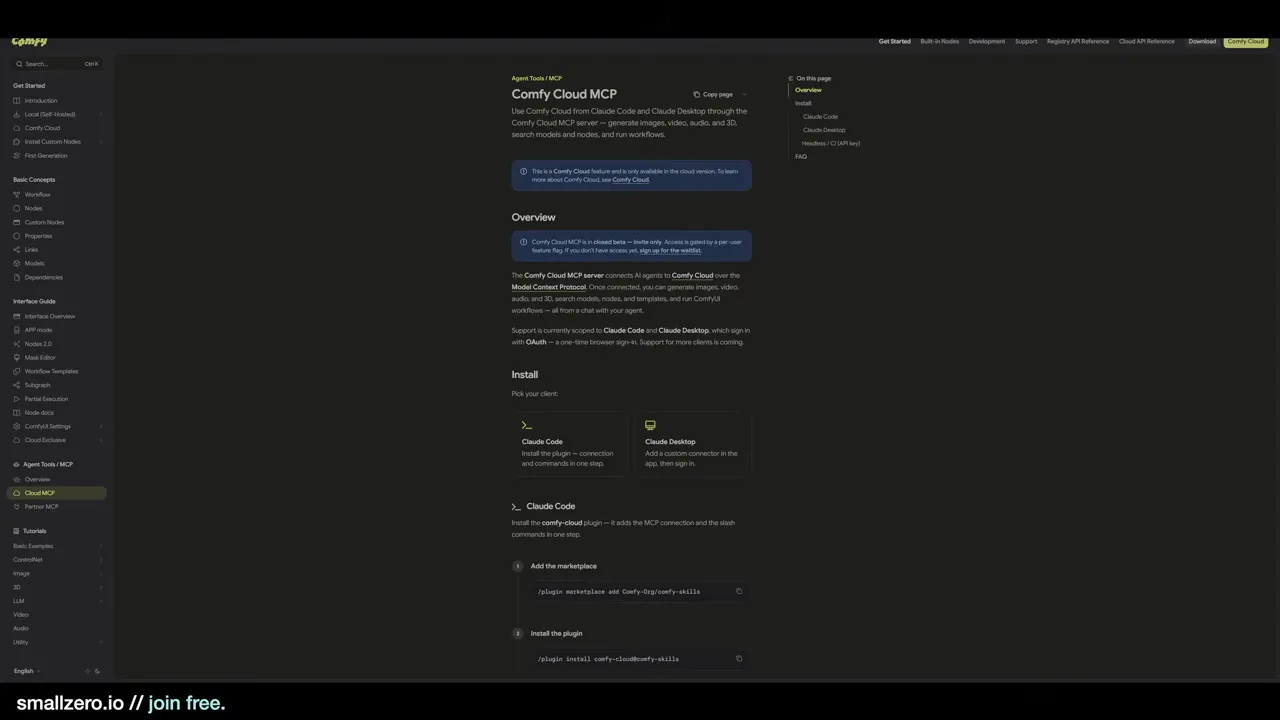
At the time of recording, the Comfy Cloud MCP was a closed beta for Comfy Cloud only, with official support scoped to Claude Code and Claude Desktop (Codex worked fine in testing). Check the docs for the current status before you start.
01Install an agent in your terminal
The simplest setup runs everything from the command line, signing in through your browser — no API keys to manage. If you already use an editor with MCP support (Cursor, for example), that works too.
You'll need Node.js and npm installed. Then install the agent of your choice. For Codex:
npm install -g @openai/codex
codex
The steps are the same on Windows (PowerShell) and macOS (Terminal). And because the work happens on Comfy Cloud, your local GPU doesn't matter.
02Let the agent install the MCP for you
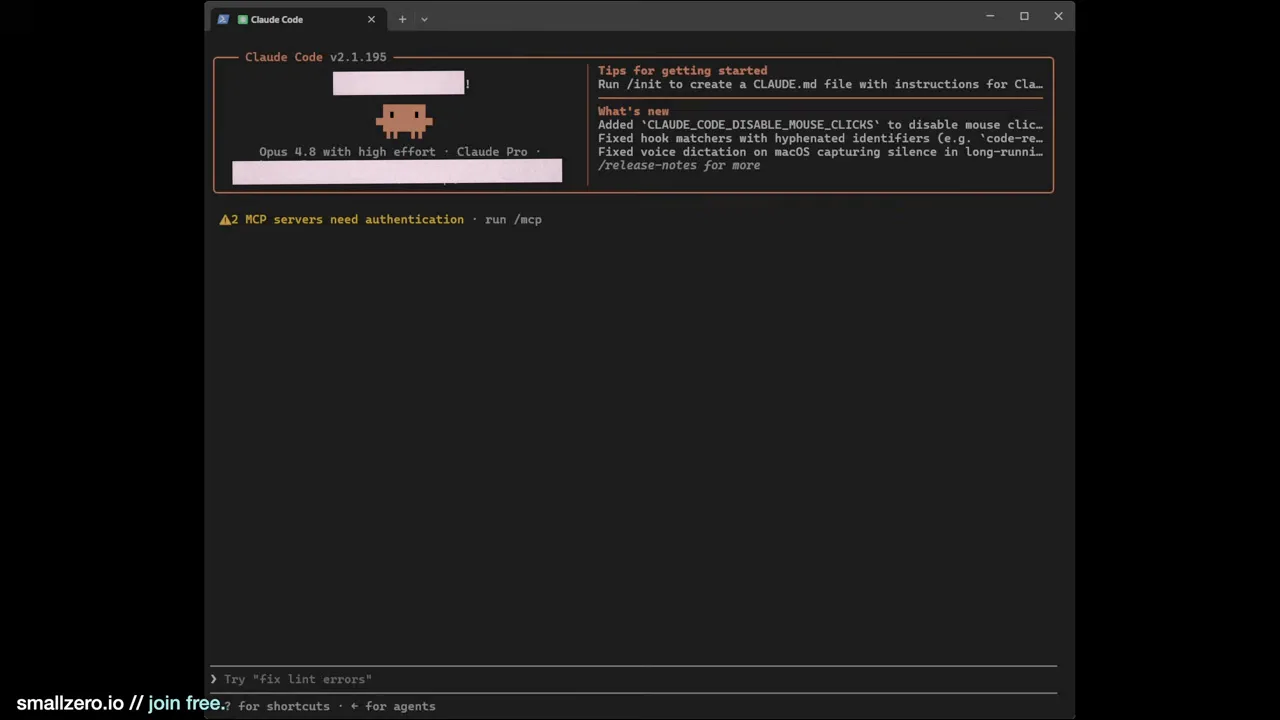
Rather than wiring up config files by hand, paste the Comfy Cloud MCP docs link into your agent and ask it to install and connect the MCP to your Comfy Cloud account.
In Codex, phrase it as a goal. A goal tells the agent to keep working until it succeeds or hits a wall it genuinely can't get past, which takes the small decisions off your plate. The agent makes a plan, installs the server, then shows a sign-in prompt to grant it access to the MCP.
03Give the agent a runbook
A markdown (MD) file is a set of instructions that steers an agent through a specific job. Pointing the agent at a well-written runbook turns a vague chat into a repeatable pipeline.
The one used here is an all-in-one AI influencer suite: one prompt produces a consistent character across Instagram stills, TikTok-style videos and profile assets. It's one of the custom MD files available to members at smallzero.io, but the pattern works with any runbook you write yourself.
04Answer the intake questions
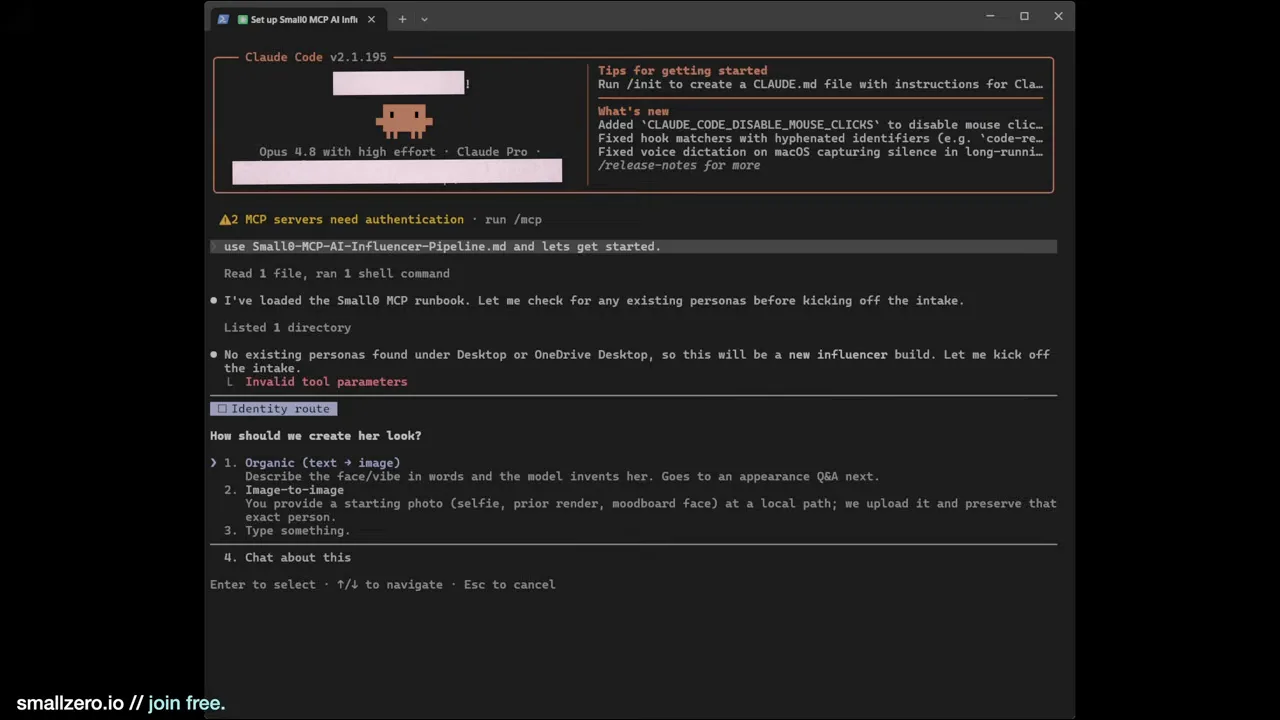
The runbook starts by asking how to create the character:
- Organic (text → image): describe the person and let the model invent the face.
- Image-to-image: start from a reference render you already have.
- Load an existing persona: reuse a character you've built before.
That last option is what makes this useful at scale. If you run several accounts, the agent can keep reloading the same people and producing content — "20 shots of Jenny, 20 of Mary, upload them here" — on its own.
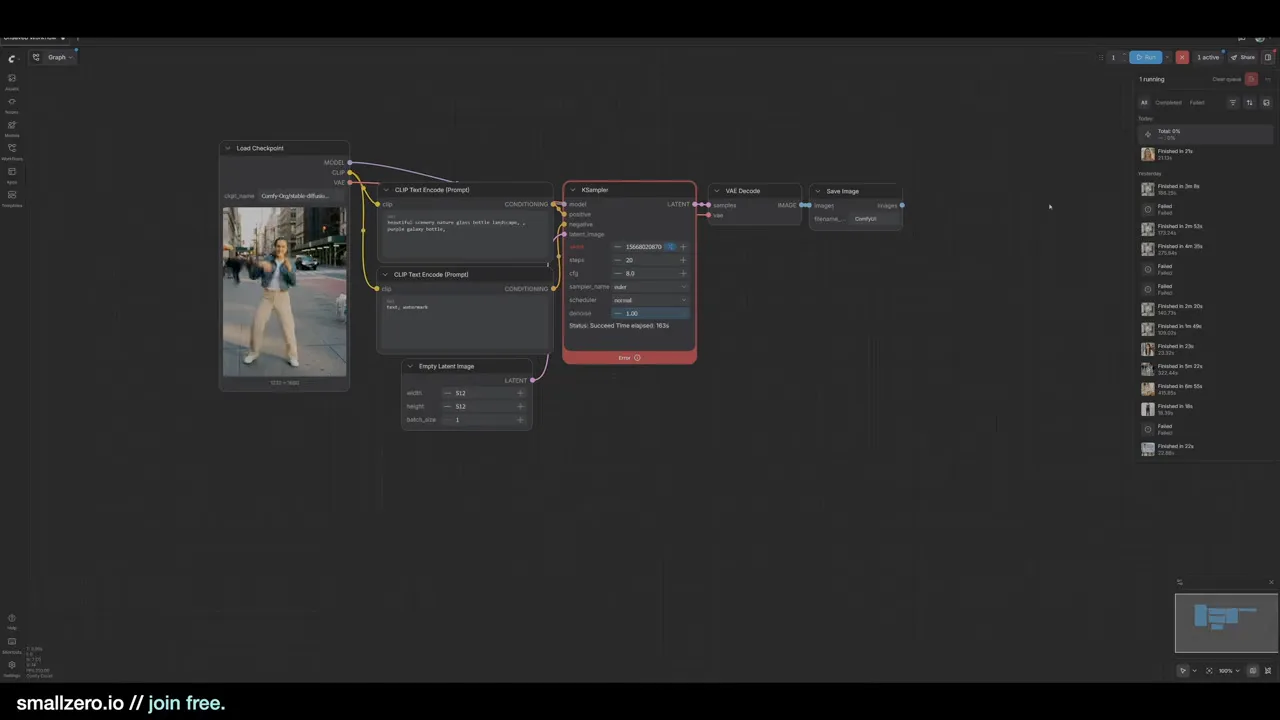
For the demo: an organic build of an athletic, 23–25-year-old Brazilian fitness creator visiting Tokyo, with a short black bob and a small nose stud. The agent locks those details into a profile, calls Comfy Cloud, and the job shows up in the ComfyUI queue right away.
05Approve the hero face
The first render is the hero identity anchor: one portrait that every later still and video uses as its face reference. The agent shows it to you and waits. You can approve it, regenerate with the same brief, or adjust something specific — hair, expression, outfit, lighting.
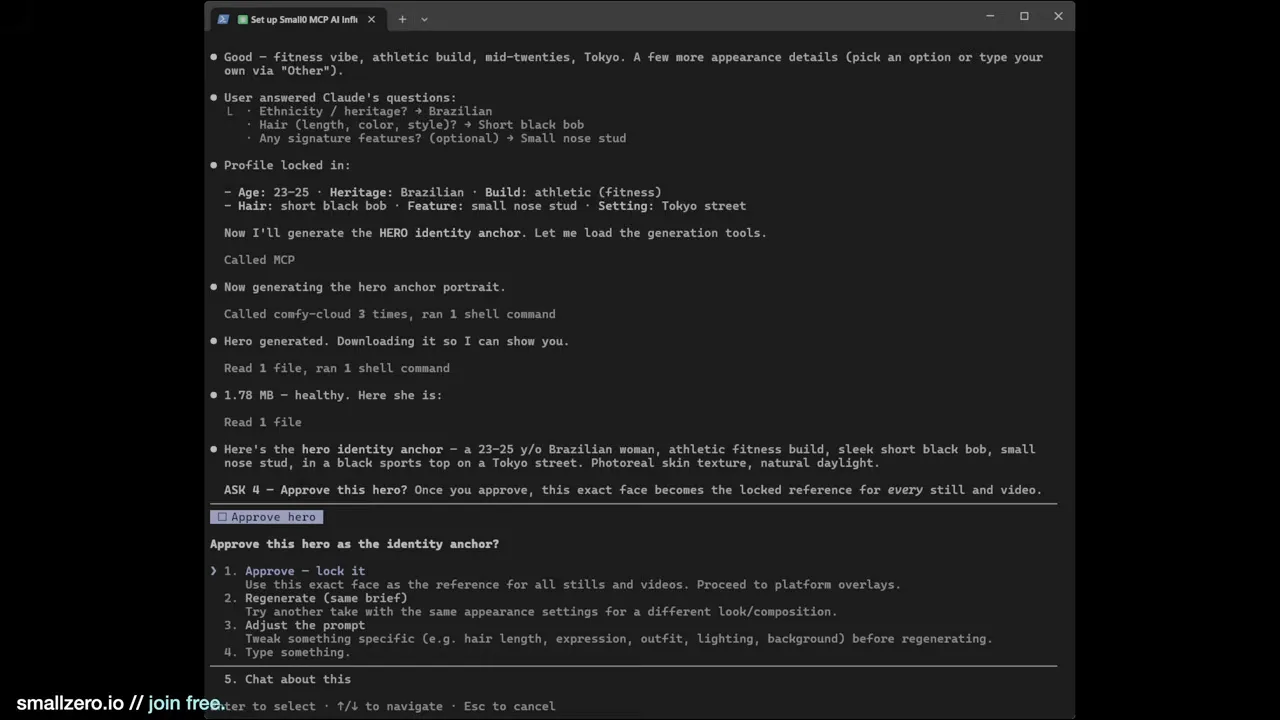
This step deserves real attention. Everything downstream inherits this face, so pick one with good skin detail that will hold up across many scenes.
06Platform overlays and video
Next, the agent asks which platform to format for and how many stills to make (Instagram ×5 here). It can add realistic post overlays with a consistent username — use your real handle if the account already exists.
Then it offers video. This run used Seedance 2.0 for three clips, alongside Nano Banana Pro for the stills.
A practical tip: leave audio out of your video prompts. Video models with audio sometimes run their own copyright check and refuse the job; generating silent clips avoids those refusals.
07The results
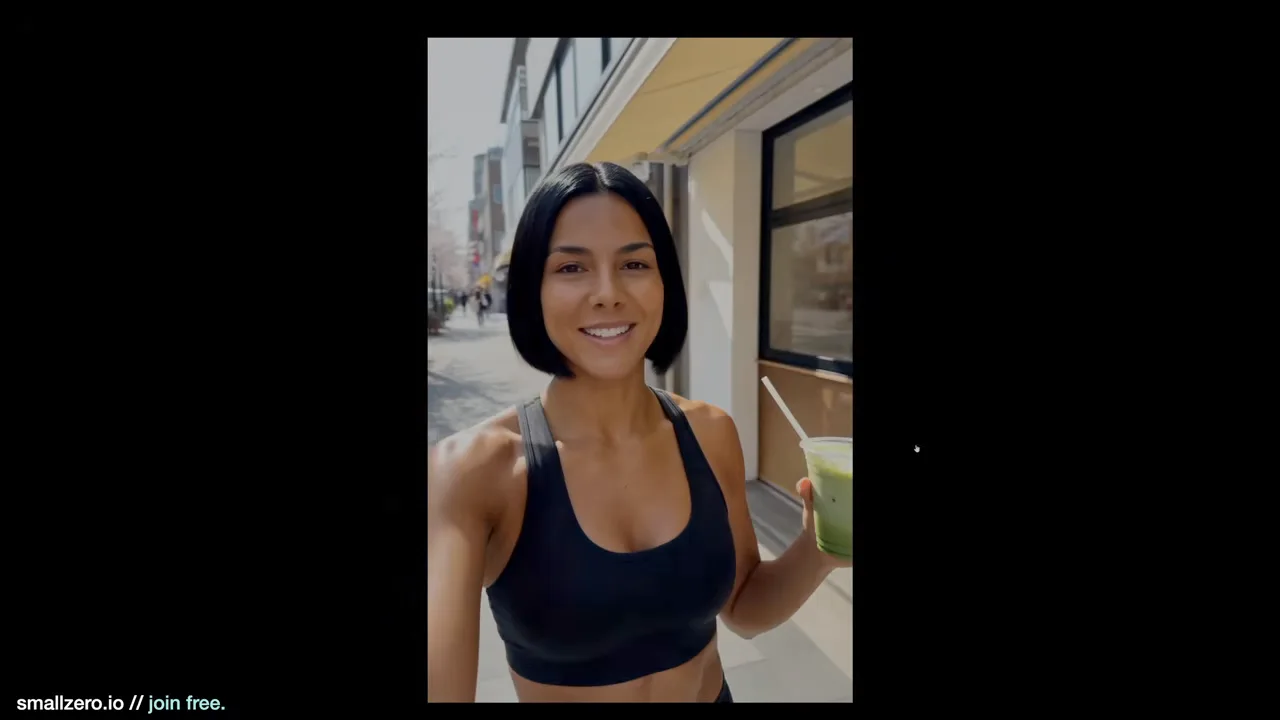
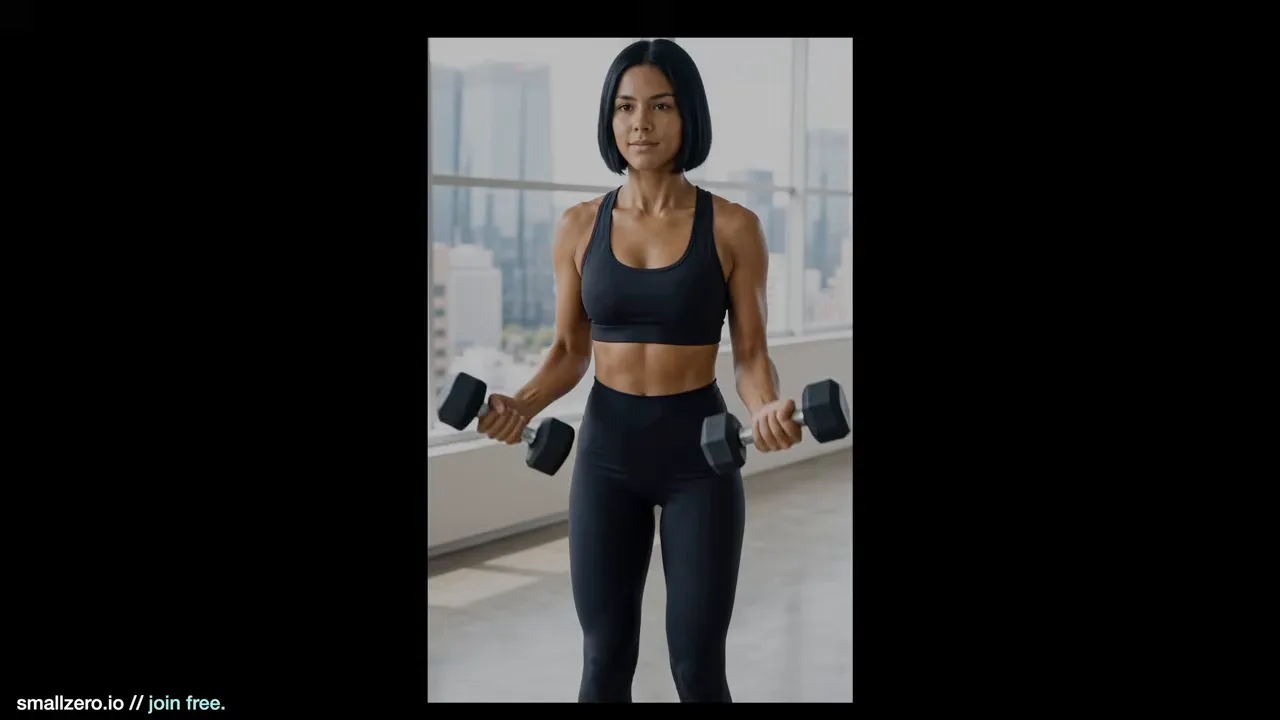
The face stayed consistent across every still and clip, down to small skin imperfections. The overlays were clean, with a couple of rough edges: placeholder commenter names ("user1," "user2") and the agent leaning too hard on the username theme. Both are easy to fix by being more specific in the runbook.
None of this is production-ready straight out of the box. But tighten the runbook or build your own MCP workflow and it gets there fast.
Where this goes next
- Replace custom servers. A lot of the automation people run on their own servers can now be a runbook plus the MCP.
- Control it remotely. Connect your agent to Telegram (or any messaging bridge) and trigger generations from your phone.
- Batch personas. Store characters as profiles and let the agent produce scheduled content for each one.
Grab the runbooks, share what you automate, and compare notes with other builders in the smallzero community.
$ ls ../related
$want the datasets, workflows and LoRAs behind posts like this?
they're shared inside the skool community. come join us.