Consistent faces in Flux 2 with the new PuLID nodes.
Flux has always been great at realism and bad at keeping one face across scenes. The new PuLID nodes for Flux 2 fix that — give it one reference photo and a prompt, and the identity carries through.
PuLID is a set of ComfyUI nodes for identity consistency: you feed in a reference face, and the model keeps that face in whatever scene you prompt. It's been around for other models, and support for Flux 2 just landed.
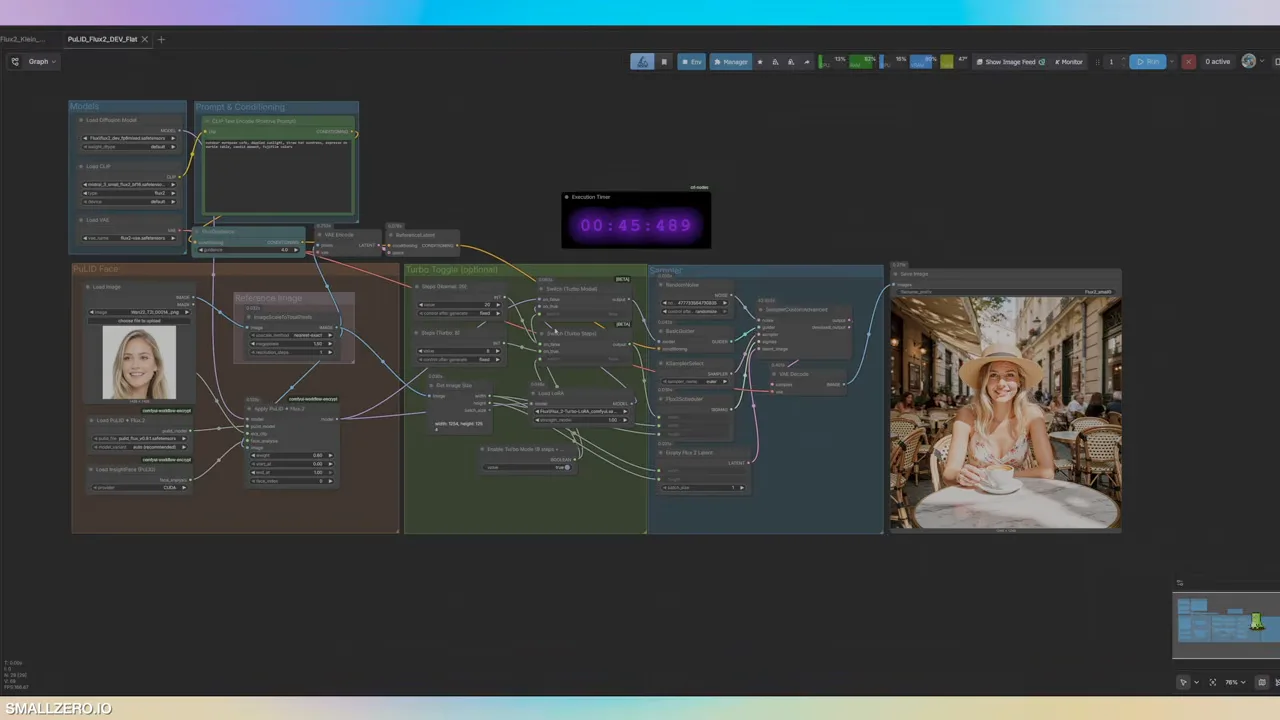
The official example workflows were a tangled mess and didn't work well, so they've been rebuilt and flattened into two cleaner versions: one for Flux 2 Dev and one for Flux 2 Klein.
01Models you'll need
| FILE | NOTES |
|---|---|
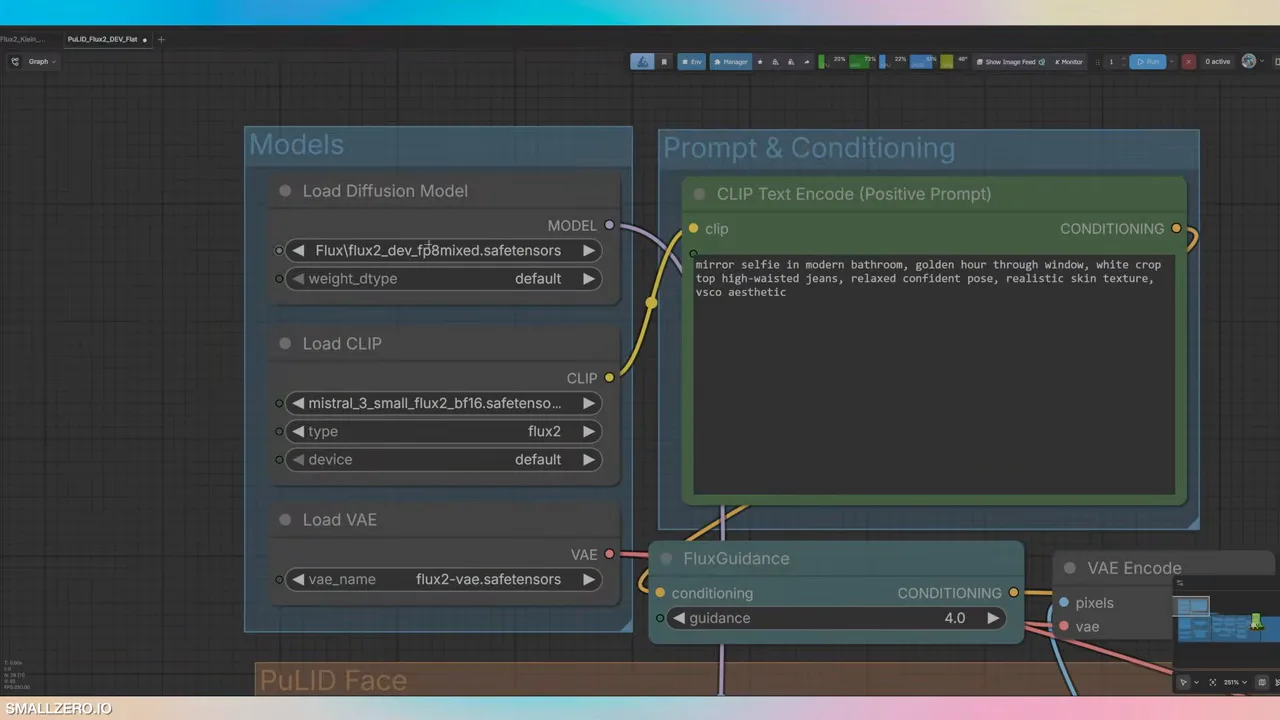
| Flux 2 Dev FP8 mixed | The checkpoint (or Flux 2 Klein for the lighter workflow). |
| Mistral 3 text encoder | Large, but gave noticeably nicer results. |
| PuLID Flux 0.9.1 | The identity model. On Hugging Face. |
| 8-step Turbo LoRA | Optional speed-up, with a built-in toggle. |
02Add a good reference face
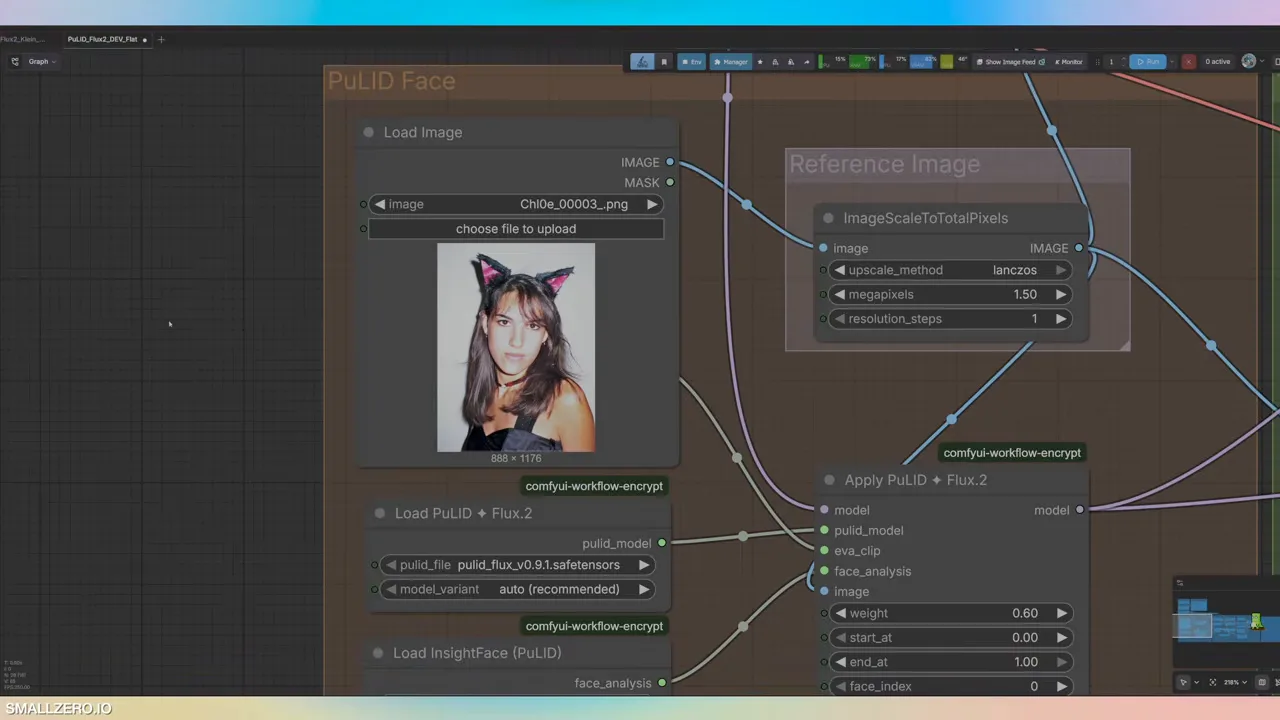
Load one clear photo of your character into the PuLID reference node. Quality matters: a low-resolution reference gives a weaker result, so use your sharpest image.
03Normal or Turbo
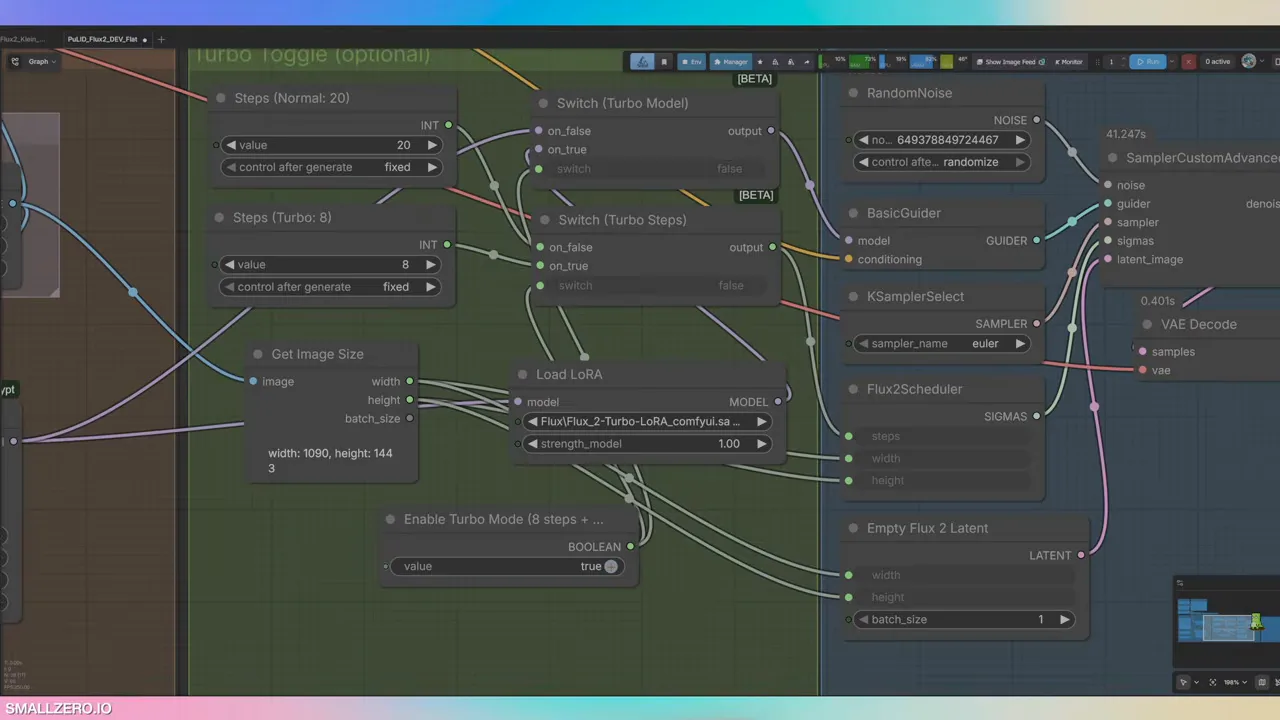
The workflow includes an 8-step Turbo LoRA with a single toggle — switch it and the right nodes are selected automatically. Turbo was left on for these tests and looks good, though it may contribute to the artifacts covered below.
04Prompt and generate
Short, scene-focused prompts work well. The face comes from the reference, so the prompt only needs the setting, outfit, angle and mood. A tip: ask an LLM like Claude for a batch of lifestyle prompts to test with.
Example prompt: laying on white linen bedsheets, soft morning light, silk pajama set, candid, scrolling phone, overhead angle, lifestyle editorial.
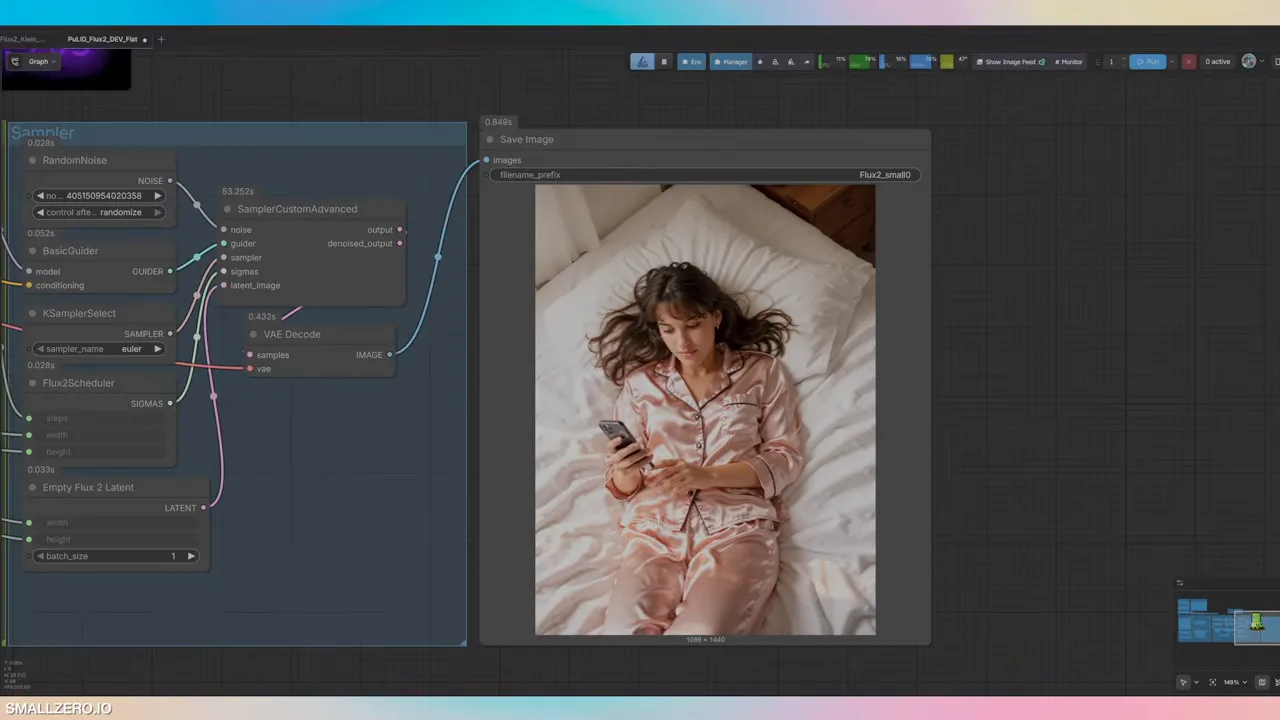
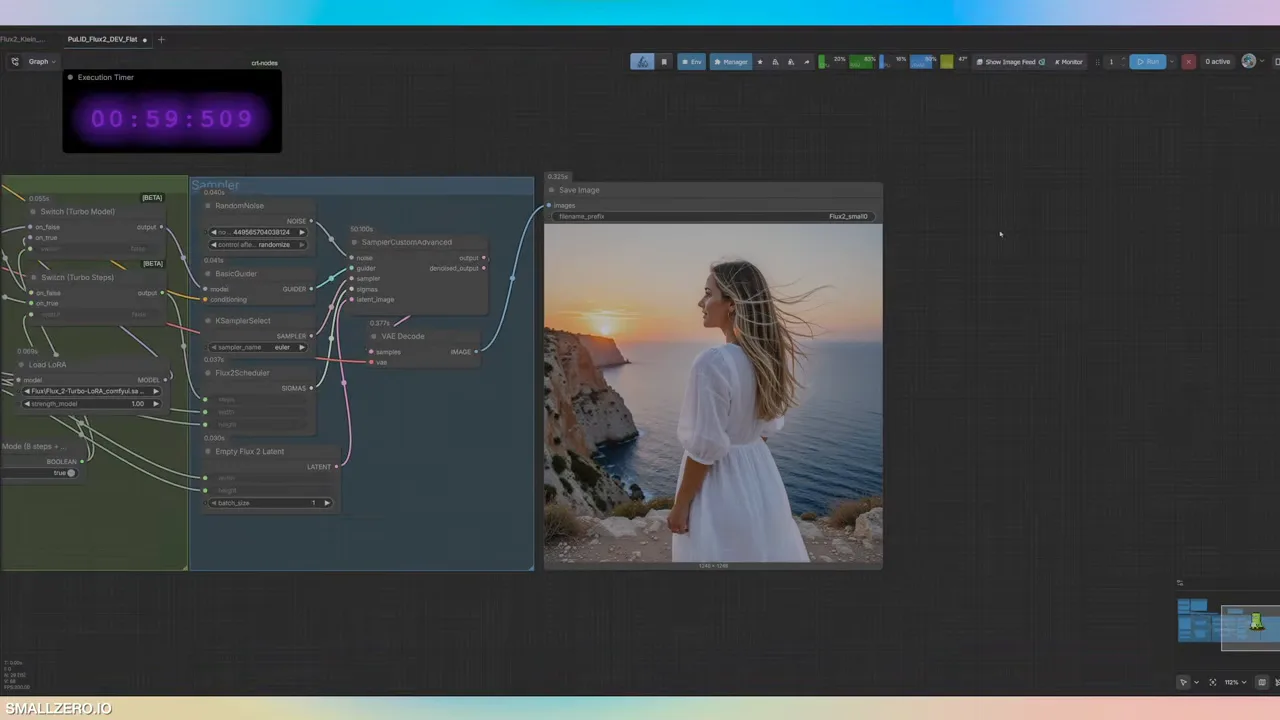
Hands and the phone hold up, and the face reads as the reference. Then a completely different scene with a different reference — Mediterranean cliffside sunset, white linen dress, wind in hair, looking at ocean, three-quarter back angle, travel influencer aesthetic, cinematic:
05Fix the crosshatching
Some results show a faint crosshatch or tiling texture. The fix: change the upscale method in the workflow to nearest-exact. That cleared most of it.
How it stacks up
Against cloud models like Nano Banana Pro and Nano Banana 2, open-source Flux is a different ballgame — those are hard to beat right now. But knowing how to get consistent faces from open models matters. Cloud access can get restricted or change, and a local workflow is yours to keep.
Both versions of this workflow (Dev and Klein) are on the smallzero.io member site. For a training-based approach instead, see how to train an AI influencer LoRA.
$ ls ../related
$want the datasets, workflows and LoRAs behind posts like this?
they're shared inside the skool community. come join us.